![InQuartik Patentcloud Logo.png]](https://helpcenter.inquartik.com/hs-fs/hubfs/InQuartik%20Patentcloud%20Logo.png?height=40&name=InQuartik%20Patentcloud%20Logo.png)
Patent Vault allows users to export search results to a variety of formats, including patent list (.xls and .csv format), patent document full-text (.zip format), and patent document front page (.pdf format).
To export, please follow the steps below:
- Once the patents have been selected, click the Action
 icon, then choose Export.
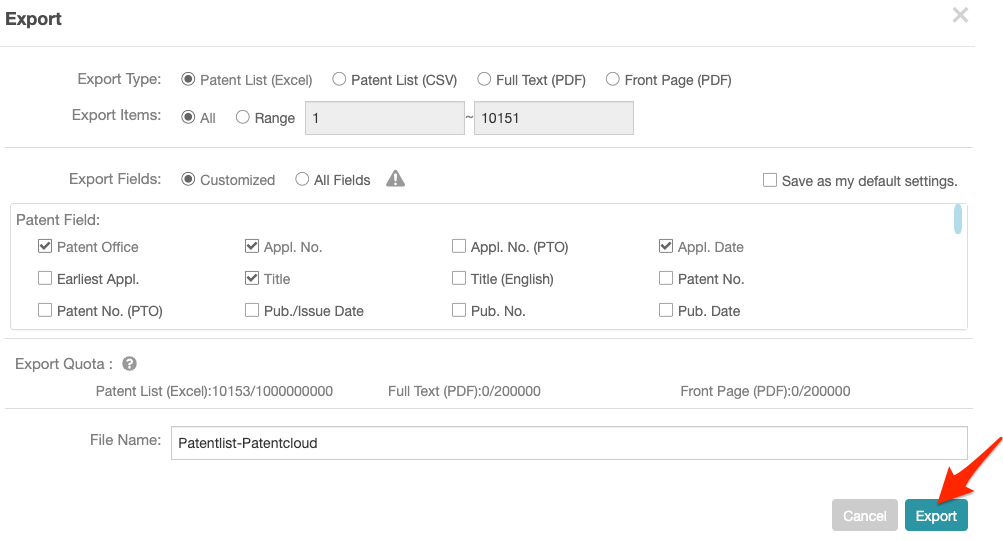
 - Now, select the export type, which items and fields to export, check the export quota, and give the file a name. Once finished, click on Export.
When exporting results that have been collapsed by application number or by family, there is an additional option available — Export Options: Representative Patent Only.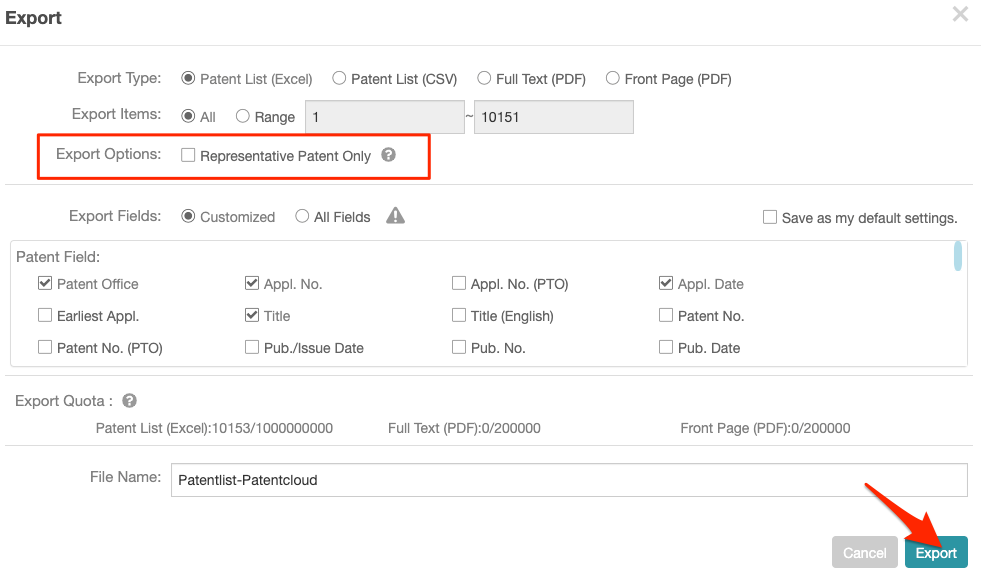
Representative Patent relates to the first or visible result on the search results page once the collapse feature has been activated — please see the image below.