![InQuartik Patentcloud Logo.png]](https://helpcenter.inquartik.com/hs-fs/hubfs/InQuartik%20Patentcloud%20Logo.png?height=40&name=InQuartik%20Patentcloud%20Logo.png)
This article explains how to download and save your data in Patentcloud, including search history, advanced search, PV folder Structure, memo and charts.
1. Search History
Go to the Search History page. Under the Recent or Saved tabs, select the search queries you want to export (you may select multiple or all). Then click Export to download the file in Excel format.
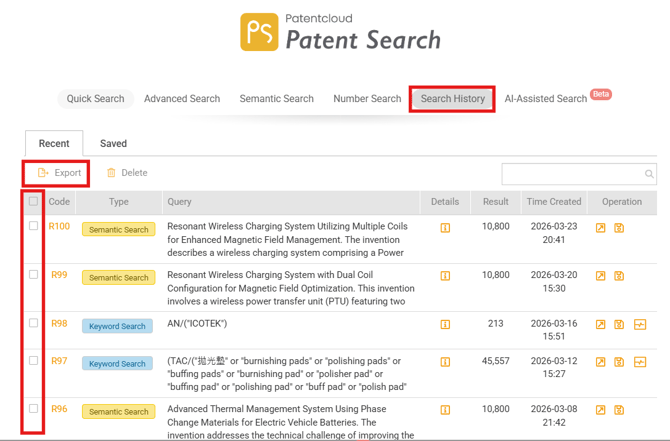
Note: Exported reports include search criteria, result counts, and patent authority details. Full patent lists are not included.
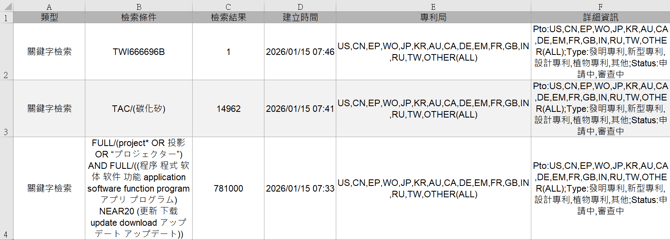
Example of exported file format shown above.
2. Advanced Search
Go to the Advanced Search page. Click Export to download the Advanced Search Report as an Excel file.
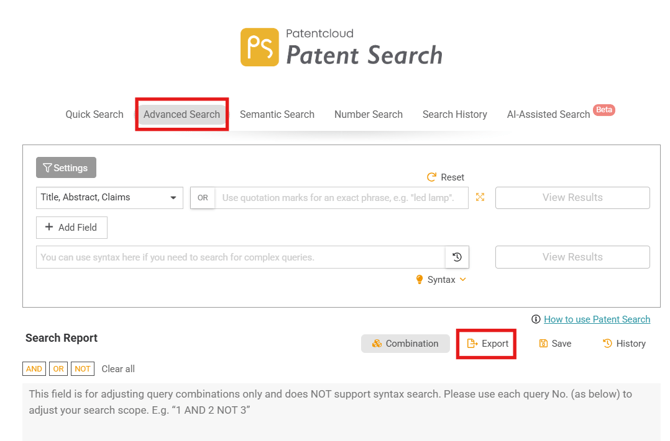
Note: Exported reports include search criteria, Boolean logic, and result counts. Full patent lists are not included.
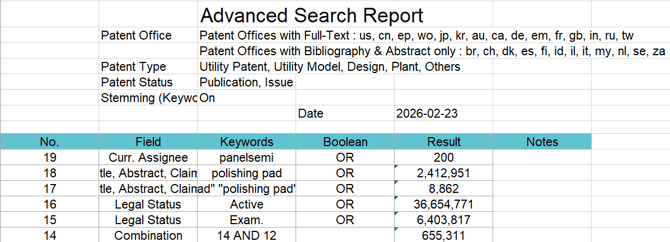
Example of exported file format shown above.
In order to export full patent lists from Patent Search (PS), please check:
https://helpcenter.inquartik.com/export-patent-1
3. Export Memos
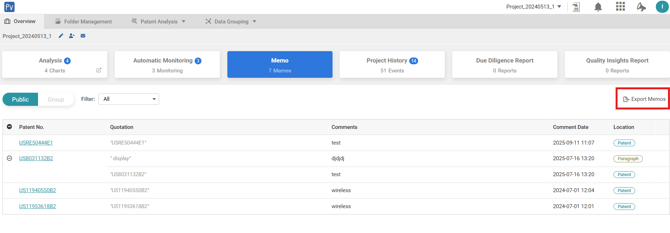
Go to Patent Vault and select the Notes tab. Click Export Notes to export your data.
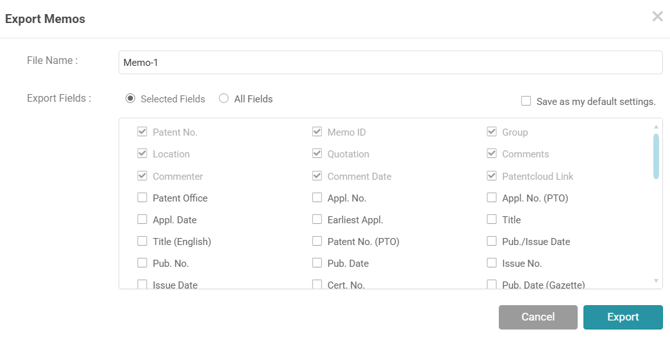
You can choose which fields to include (e.g., patent number, note content, applicant, publication details). Click Export to download the file in Excel format.
4. Export Charts
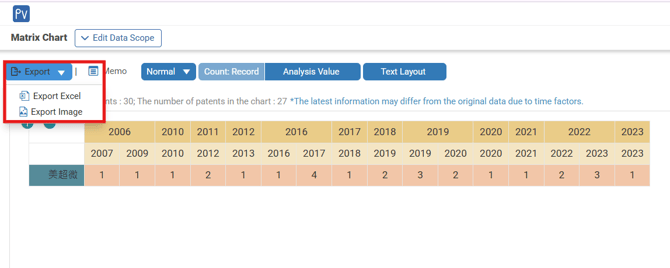
Go to Patent Vault, then navigate to the Overview tab. Click Analytics, and select the chart you want to export from the list.
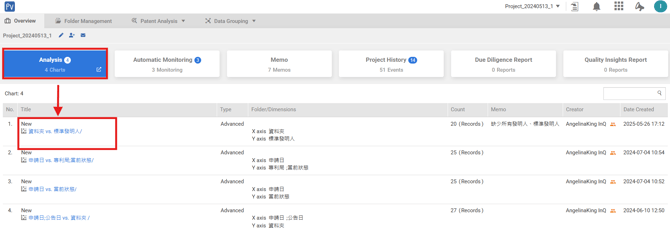
Click Export to download the chart as an Excel file or image.
In order to export full patent lists from Patent Vault (PV), please check:
https://helpcenter.inquartik.com/export-patent
5. Export PV Full Folder Structure
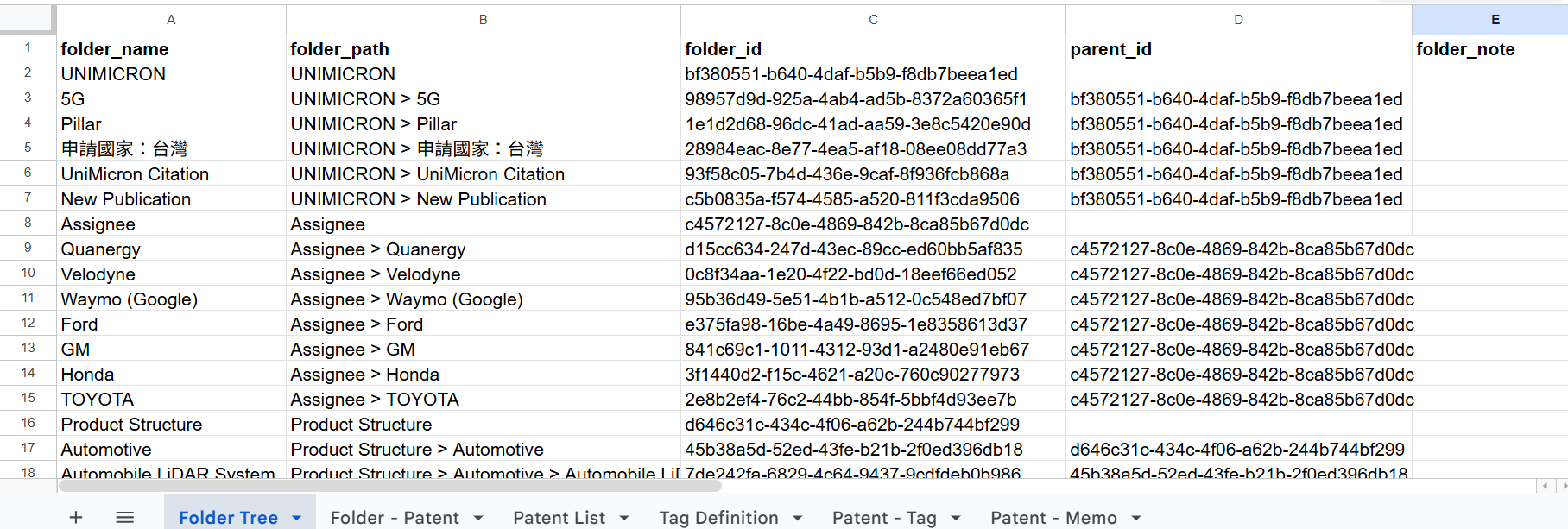
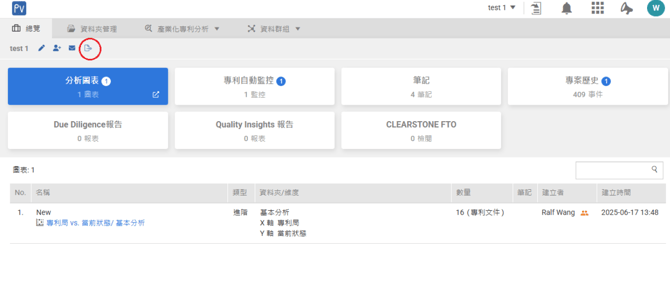
Go to Patent Vault and open the Overview tab. Click Export Backup to export your data.
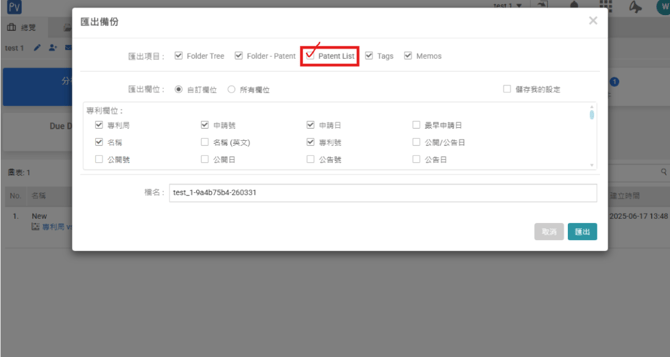
In the Export Backup window, you can configure the export items and select the fields to include. Make sure to select Patent List to ensure the full patent list is included. Click Export to download the file in Excel format.
The exported Excel file includes the full folder structure, tags, memos, and the complete patent list.